

Core Web Vitals Explained — What They Actually Mean
Breaking down LCP, FID, and CLS into plain language. You don’t need to be technical to understand what’s slowing your site down.
Read GuidePractical guides on image compression, lazy loading, caching strategies, and Core Web Vitals. Learn what slows your site down and how to fix it.
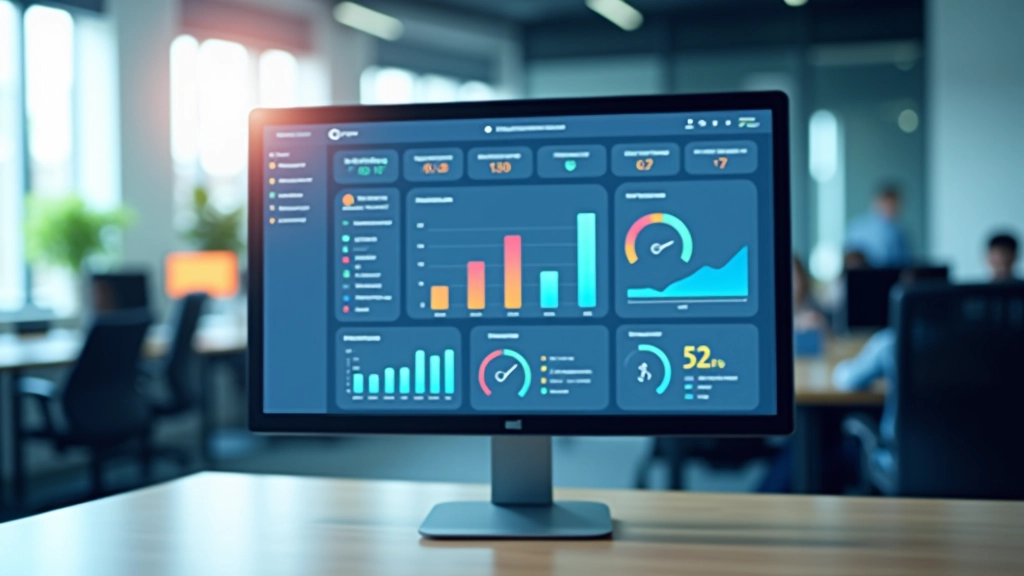
In Malaysia’s competitive digital landscape, every millisecond counts
You’ve probably heard that faster websites rank better in Google. That’s true. But there’s more to it than just rankings. Your actual visitors care about speed too — they’re not patient. If your site takes 3 seconds to load, about 40% of them will bounce before they see anything.
Core Web Vitals are Google’s way of measuring what users actually experience. They look at how fast your pages load (LCP), how responsive they feel (FID), and whether things shift around on screen (CLS). We’ll walk you through each one and show you exactly how to improve them.
The best part? Most improvements don’t require hiring expensive developers. Image compression, lazy loading, proper caching — these are techniques you can understand and implement yourself. We’ve created practical guides specifically for the Malaysian context, with examples and step-by-step instructions.

Everything you need to understand website performance
Reduce image file sizes by 50-70% without losing quality. Learn when to use WebP, AVIF, and traditional formats. It’s often the biggest speed win.
Load images and scripts only when they’re actually needed. Native browser APIs make this simple. Your pages become instantly faster without complex code.
Set up browser caching, server caching, and CDN optimization. We explain what each does and why they matter for Malaysian users.
Understand LCP (how fast content appears), FID (how responsive buttons are), and CLS (unexpected layout shifts). These are what Google measures.
Learn which tools actually work — Google PageSpeed Insights, Lighthouse, WebPageTest. We show you what the numbers mean in real terms.
Every guide includes step-by-step instructions. We don’t just explain concepts — we show you exactly what to do on your own site.
Start with these practical resources
Breaking down LCP, FID, and CLS into plain language. You don’t need to be technical to understand what’s slowing your site down.
Read Guide
Simple methods to reduce image file sizes by 50-70% without losing quality. WebP, AVIF, and when to use each format.
Read Guide
How to defer images and scripts until they’re actually needed. Includes native browser APIs and what works best in Malaysia.
Read GuideA practical four-step approach
Run your site through Google PageSpeed Insights and Lighthouse. Don’t worry if the scores look bad — you’re establishing a baseline. Take screenshots of these results so you can see improvements later.
This is usually the quickest win. Use tools to convert images to modern formats, compress them, and implement lazy loading. We’ve got detailed guides for each technique with real examples.
Configure browser caching and leverage a CDN. This tells visitors’ browsers to remember your site instead of downloading everything fresh each time they visit. It makes a huge difference.
Check your scores again after implementing changes. You’ll likely see improvements immediately. Keep optimizing based on what the reports tell you. Performance isn’t a one-time fix.
Answers to what people actually ask
Google confirmed in 2021 that Core Web Vitals are now ranking factors. A slow site won’t rank as well as a fast one, all else being equal. But there’s good news — you don’t need to be the fastest site ever, just fast enough. Most improvements come from fixing the biggest problems, not obsessing over microseconds.
LCP (Largest Contentful Paint) measures how fast your main content appears. FID (First Input Delay) measures how responsive your site is when someone clicks a button. CLS (Cumulative Layout Shift) measures unexpected movement on the page. We’ve got a full guide breaking these down in plain language.
Absolutely. Image compression, lazy loading, and caching can all be done with simple tools and settings. Our guides walk you through each step. If you’re using WordPress or another platform, most of this is even easier with plugins.
Start with images. They’re usually the biggest culprit. Compress your images and implement lazy loading — this alone can shave 1-2 seconds off your load time. Then tackle caching. These two changes solve 80% of speed problems.
Yes. Google PageSpeed Insights is free and reliable. Lighthouse (built into Chrome) is equally good. WebPageTest gives more detailed breakdowns. We recommend checking your scores monthly so you can see real improvements happening.
Good news — you’ve got one part sorted. But CDN alone isn’t enough. You still need image optimization and browser caching. Most speed problems aren’t about hosting, they’re about how your content is delivered. Our guides show you what else matters.
Real experiences from site owners
“I wasn’t confident doing this myself honestly. But the guides were super clear, and the image compression alone made my site 2 seconds faster. My Google rankings improved within a month. Wish I’d done it sooner.”
“The Core Web Vitals guide finally made sense of those Google reports. We implemented lazy loading and it cut our bounce rate noticeably. The step-by-step instructions meant we didn’t need to hire someone.”
“The caching section was exactly what I needed. It’s not technical jargon — it’s actual explanations of why each type of cache matters. Our site’s now consistently fast even during traffic spikes.”
We’ve got the guides, step-by-step instructions, and real examples to help you improve Core Web Vitals and page speed. Start optimizing today.
Get In Touch